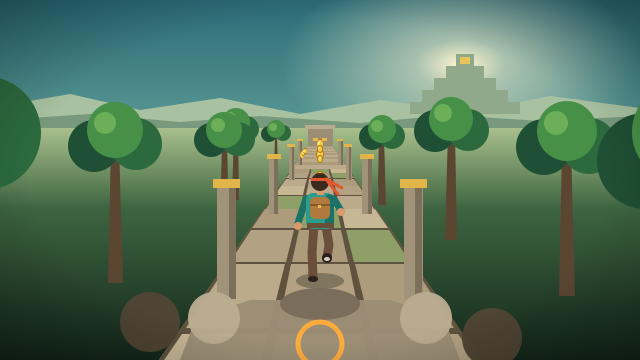
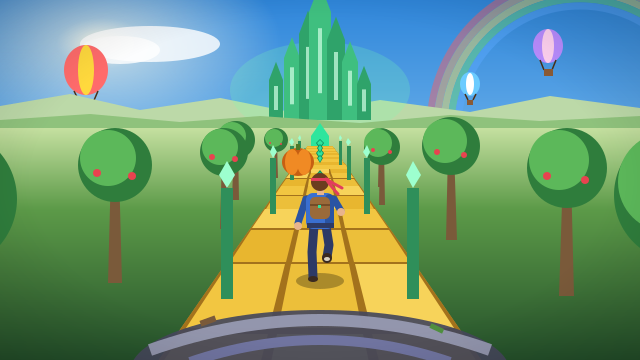
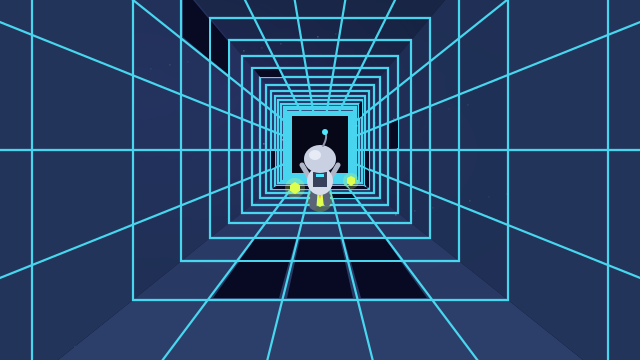
Temple Run Unblocked 66 is what people type when they want a quick Temple Run fix in the browser, usually on a school Chromebook. “Unblocked Games 66” isn’t a game or a studio. It’s the name of a loose group of third-party websites that collect browser games. The “Temple Run” listed on them is rarely the real thing.
This page explains what those sites are and what you can expect from them. It also gives you a clean alternative: Moonlit Ruins Dash, igame9’s own free runner in the Temple Run style. It is one small script drawn with the browser’s canvas, with no download, plugin or account, and it runs smoothly on low-power laptops. The moonlit edition starts faster than our other runners, with torch-lit cliffside ruins and a swarm of bats on your tail.
How to play Temple Run Unblocked 66
- Click the game, then press Space or click Run. Keyboard controls work as soon as you have clicked into the game frame.
- Steer with ← → or A D. On a straight these change lanes. Near a corner, the key toward the open side turns you 90°. Forks accept either direction.
- Jump with ↑, W or Space over chasms and fallen logs. Slide with ↓ or S under the rune-carved lintels. Broken columns and stone piles block lanes, so move around them or jump the low ones.
- Collect coins and power-ups (Magnet, Shield, Double Coins). Press P or Esc to pause at any time. The pause screen shows your distance and coins.
- When the run ends, press Space to go again straight away, or open Upgrades to spend coins on longer power-ups.
Temple Run Unblocked 66 controls
| Action | Keyboard | Mouse | Touch |
|---|---|---|---|
| Start / run again | Space or Enter | Click “Run” | Tap “Run” |
| Change lane | ← or → or A or D | Drag left / right | Swipe left / right |
| Turn at a corner or fork | ← or → or A or D | Drag toward the open side | Swipe toward the open side |
| Jump | ↑ or W or Space | Drag up | Swipe up |
| Slide / drop from a jump | ↓ or S | Drag down | Swipe down |
| Pause / resume | P or Esc | Pause button | Pause button |
Temple Run Unblocked 66 tips & strategy
- This edition starts at a higher speed. Your first corner arrives sooner than in our jungle and Oz runners, so watch for the torch-lit column that marks every corner.
- Keyboard beats trackpad. On a Chromebook, arrow keys react faster than dragging on the trackpad. Click the game once so it receives your keys.
- Stay in the middle lane by default. From the centre every dodge is one key press away, in either direction.
- Respect the red glow. After a stumble the bats stay close for about seven seconds, and a second stumble ends the run.
- Fast-drop under lintels. If a lintel appears while you are in the air, press ↓ to drop straight into a slide.
- Pause instead of tabbing away. The game also pauses itself when you switch tabs, so you never come back to a crash.
What does “Unblocked Games 66” mean?
“Unblocked Games 66” is a label used by a family of third-party game sites. Many are built on free website builders such as Google Sites, and they advertise themselves as playable on school devices. They don’t make games. They list games that are hosted somewhere else, often copies mirrored on code-hosting sites. Most don’t name an operator or show any licence for the games they carry. Similar sites use other numbers and names.
For players, that means three things. The “Temple Run” on such a list may be an old copy, a clone or a different game with a borrowed name. Pages can break or vanish without notice. And ads and pop-ups on mirror sites are not always trustworthy. Whatever site you use, stick to your school’s or workplace’s rules on games and devices.
Is there an official Temple Run you can play in a browser?
Imangi Studios made the original Temple Run (2011) and Temple Run 2 (2013) as mobile apps. In 2020 Imangi released Temple Run 2 on the web portal Poki, which makes that the official browser version. A third numbered game, Temple Run 3, was soft-launched on iOS and Android in a few countries in late 2025 and is not a browser game.
So a “Temple Run unblocked” link is either an embed of an official web release, an unofficial copy, or a look-alike. The game on this page is open about what it is: an original igame9 runner in the same genre. It isn’t a copy of Imangi’s game.
Why this version runs well on a Chromebook
| Moonlit Ruins Dash | |
|---|---|
| Download size | About 30 KB of compressed game code, with no images, audio files or external libraries. Everything is drawn in code. |
| Install / plugins | None. It runs in the browser tab with plain HTML5 canvas. |
| Performance | Simple flat-shaded 3D with capped particle counts, aimed at 60 fps on low-power laptops |
| Controls | Arrow keys or WASD, mouse drag, or touch swipes |
| Saves | Best score, coins and upgrades stored locally in your browser. No account. |
| Screen sizes | Scales from phone portrait to full screen; a fullscreen button sits in the player bar |
What’s different in the Moonlit Ruins edition
The same engine powers our other Temple Run-style pages. This edition is the “arcade” version, tuned for short sessions:
- Faster start: you begin at 13 m/s instead of 11, and the top speed is higher too.
- Night setting: slate-stone paths over a dark chasm, torch-lit columns, palm silhouettes and a full moon over distant ruins.
- The Night Swarm: a cloud of red-eyed bats replaces the stone golem. It works the same way: one stumble brings it close, a second stumble lets it catch you.
- Same depth: T-junctions, three lanes, gaps, logs, lintels and broken columns, three upgradeable power-ups, and tutorial prompts in your first runs.
Temple Run Unblocked 66 FAQ
What is Temple Run Unblocked 66?
It is a search for Temple Run on “Unblocked Games 66” sites. These are third-party game-list websites, often made with free site builders, that collect browser games hosted elsewhere. They are not affiliated with Imangi Studios, which makes Temple Run.
Is the Temple Run on unblocked sites the real game?
Often not. Lists on these sites can link to unofficial copies, clones or unrelated games using the name. The official browser release is Temple Run 2 on Poki. Moonlit Ruins Dash on this page is an original igame9 game in the same style, not a copy.
Does this game need a download or an account?
No. It loads as a small script in your browser tab, needs no plugin or sign-up, and saves your best score and upgrades locally on your device.
Will it run on a school Chromebook?
It is built for low-power devices and runs in Chrome on Chromebooks. Whether you may play games on a school device is up to your school, so please follow its rules.
Why does the game ignore my arrow keys?
Click inside the game frame once. The page sends keys only to the game you last clicked, so scrolling and typing elsewhere keep working normally.
What is a good score?
Because this edition starts fast, passing 500 m means you have mastered the corners. Over 2,000 m you are handling top speed. Each coin adds 5 points on top of your distance.
Temple Run is a trademark of Imangi Studios. igame9 is an independent site and is not affiliated with or endorsed by Imangi Studios. The playable game on this page, Moonlit Ruins Dash, is an original browser game made for igame9 in a similar style; this guide describes the original for reference.