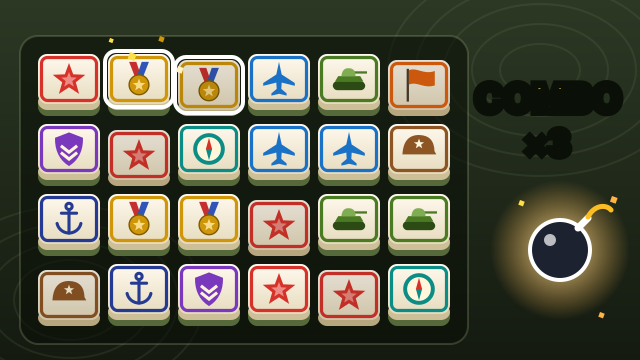
Onet Connect Classic is the tile-matching puzzle where you clear a board by joining pairs of identical tiles with a line. The catch is the line: it may bend no more than twice and can only pass through empty space, so two matching tiles side by side are easy, while two at opposite corners only connect once the tiles between them are gone. The style comes from the Asian game known as Shisen-Sho, Lianliankan or simply Onet.
On this page you can play Match Link, igame9’s free take on the Onet Connect Classic formula, with fruit tiles. It keeps the same rule — up to two turns, and the line may run around the outside of the board — and adds three board sizes, a hint button and a board that reshuffles itself when you run out of moves, so a game can never get stuck. Play it here in the browser with nothing to install.
How to play Onet Connect Classic
- Click or tap a tile. It lights up.
- Click a second tile with the same picture. If a line with at most two turns can join them through empty cells, a line flashes between them and both disappear.
- The line is allowed to leave the board and come back along the outside edge, so tiles on the rim are easier to link than tiles in the middle.
- If the second tile can’t be linked, it becomes the new selection — just pick its partner.
- Clear every tile to win. Your time is the score; the best time on each level is saved if you finish without hints.
- Stuck? Hint (or H) highlights a pair for two seconds, and Shuffle rearranges the tiles that are left. When no pair is left at all, the board reshuffles by itself.
Onet Connect Classic controls
| Action | Keyboard | Mouse | Touch |
|---|---|---|---|
| Pick a tile | — | Click | Tap |
| Show a pair | H | Hint button | Hint button |
| Shuffle the board | — | Shuffle button | Shuffle button |
| Restart | R | Restart button | Restart button |
| Change level | — | New button | New button |
Onet Connect Classic tips & strategy
- Clear the edges first. Tiles on the rim can link around the outside, and removing them opens paths into the middle.
- Look for straight lines and L-shapes. Most links are zero or one turn; save the two-turn hunts for when those run out.
- Don’t clear a pair just because you can. If one picture has four tiles, think about which two to link first so the others still have a path.
- Open the centre early. A gap in the middle of the board gives every surrounding tile a new route.
- Use Hint sparingly. A hinted game doesn’t count for your best time, and neither does one where you pressed Shuffle.
About the original Onet Connect Classic
The original is an HTML5 game by Famobi, released around 2017 and hosted on many free game portals. You choose a tile theme — animals, sweets or fruit — and clear each puzzle against a five-minute clock, with a limited number of hints and shuffles and a bonus at the end of each round. If you run out of moves and shuffles, the round is lost.
The rule at its heart is much older. Connect-the-pairs games with a two-turn line go back to the late 1980s and Shisen-Sho, and in China the genre is known as 连连看 (lianliankan, “look and link”).
Match Link vs. Onet Connect Classic
| Original | Match Link (this page) | |
|---|---|---|
| Linking rule | Up to two turns through empty cells | Same; the line may also run around the outside |
| Tiles | Animals, sweets or fruit | Fruit and vegetables |
| Time | Five-minute limit per puzzle | No limit; your time is your score |
| Stuck boards | Limited shuffles, then the round is lost | Reshuffles automatically, always to a board with a move |
| Board sizes | One per round | 48, 80 or 120 tiles |
| Price | Free with ads on most portals | Free |
Board sizes
| Level | Tiles | Different pictures |
|---|---|---|
| Easy | 48 (6 × 8) | 8 |
| Normal | 80 (8 × 10) | 12 |
| Hard | 120 (10 × 12) | 16 |
The board turns to fit your screen: wide on a laptop, tall on a phone held upright. Every deal is checked to have at least one move before you see it.
Onet Connect Classic FAQ
Is this Onet Connect Classic free?
Yes. Match Link, the game on this page, is completely free in your browser with no download or sign-up.
Who made Onet Connect Classic?
It is an HTML5 game by Famobi. igame9 is not affiliated with Famobi; the game on this page is igame9’s own.
What is the rule for connecting tiles?
Two tiles with the same picture can be removed if a line with at most two turns joins them through empty cells. In Match Link the line may also run around the outside of the board.
What happens when there are no moves left?
The board reshuffles automatically into an arrangement that has at least one pair, so a game never ends stuck. You can also press Shuffle yourself.
Is there a time limit?
No. The clock only measures your time; your best time on each level is saved if you finish without hints or shuffles.
Does it work on a phone?
Yes. Tap tiles to select them; the board stands upright on a phone and lies wide on a laptop.
Onet Connect Classic is a game by Famobi. igame9 is an independent site and is not affiliated with or endorsed by Famobi. The playable game on this page, Match Link, is an original browser game made for igame9 in the same connect-the-pairs style; this guide describes the original for reference.