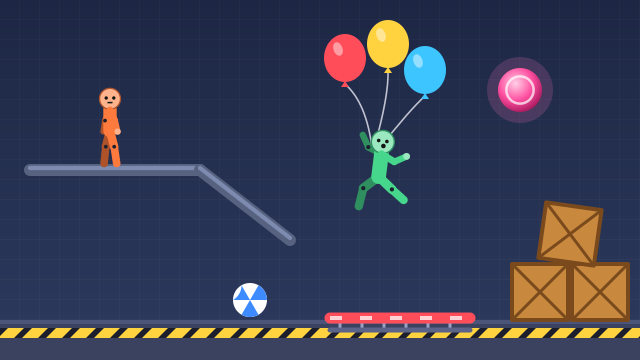
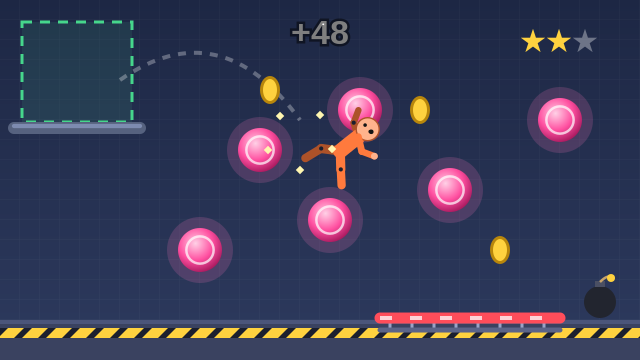
A ragdoll physics simulator lets you drop a floppy body into a world and change the rules: how hard gravity pulls, how fast time runs, how much things bounce. The fun is in the details. A dummy tumbling down stairs looks different on the Moon, in slow motion or with joints like wet noodles.
The simulator above is Flop Lab, game9’s free ragdoll sandbox, opened on the stairs scene with the physics panel already showing. Move a slider and the change applies at once, mid-fall. Switch on Stats to see the current gravity, the fastest ragdoll speed and the hardest impact in metres per second. Everything runs in the browser on computers, tablets and phones.
How to play Ragdoll Physics Simulator
- The stairs scene starts with two ragdolls at the top. Grab one with the Drag tool and push it down, or throw it as hard as you like.
- Open the physics panel with the sliders button at the top right. Change gravity, time speed, wind, bounciness, joint stiffness and air resistance while things move.
- Use the gravity buttons for Earth (9.8 m/s²), Moon (about 1.7 m/s²), Zero-G and Reverse, or press G to cycle through them.
- Switch Muscles off for fully limp ragdolls, or on to let them stand and balance. Switch Damage off to stop knock-outs.
- Add objects and build ramps with the tools at the bottom. Press Space to freeze time, T for slow motion and R to reset.
Ragdoll Physics Simulator controls
| Action | Keyboard | Mouse | Touch |
|---|---|---|---|
| Open the physics panel | — | Sliders button | Sliders button |
| Grab, drag and throw | 1 (Drag tool) | Drag with the left button | Drag with a finger |
| Cycle gravity: Earth, Moon, zero, reverse | G | Gravity buttons | Gravity buttons |
| Freeze time | Space | Pause button | Pause button |
| Slow motion | T | Stopwatch button or Time slider | Stopwatch button |
| Spawn objects and build | 2–9, 0 pick a tool | Click, or drag to draw | Tap, or drag to draw |
| Reset the scene | R | Reset button | Reset button |
Ragdoll Physics Simulator tips & strategy
- Compare falls with the Stats readout. Throw a ragdoll down the stairs, note the hardest hit, then try again with lower gravity or more air resistance.
- Noodle joints show the skeleton. Drag Joint stiffness to the left and the spine and neck go completely loose. To the right, the body stays almost straight, like a mannequin.
- Slow motion is best for big crashes. Set Time speed to 20% before a bomb goes off and you can follow every limb.
- Reverse gravity is a ceiling floor. Everything falls up, including balloons, which now sink. Standing ragdolls try to stand on the ceiling.
- Wind pushes light things most. Balloons drift first, ragdolls next and crates barely move. Combine wind with zero gravity for a slow-drifting cloud.
- Bounciness above 100% adds energy. At 150% every bounce comes back a little faster than it went in. Drop a ball on the floor and it never stops.
The ragdoll simulator’s physics settings
| Setting | Range | What it changes |
|---|---|---|
| Gravity | −9.8 to 19.6 m/s² | How fast things fall, and in which direction. 0 is weightless. |
| Time speed | 10% to 100% | Slow motion. The physics stay the same, just slower. |
| Wind | Left 100% to right 100% | A steady sideways push, strongest on balloons. |
| Bounciness | 0% to 150% | How much speed survives each bounce off walls and the floor. |
| Joint stiffness | Noodle to stiff | How much the neck and spine bend. |
| Air resistance | 0% to 100% | Drag that slows everything in flight. |
| Muscles / Damage / Stats | On or off | Standing ragdolls, health and knock-outs, and the live readout. |
Settings are saved in your browser. Reset physics to normal at the bottom of the panel puts everything back.
How ragdoll physics works
Before ragdolls, a character that died in a game played a fixed death animation, the same every time. Ragdoll physics replaces that with a simulation: the body is a set of joints, and the game works out where each one goes as it falls. Jurassic Park: Trespasser (1998) is usually named as the first game to use it, but it was famously buggy.
The method that made ragdolls common came from IO Interactive’s Hitman: Codename 47 (2000). Thomas Jakobsen, the studio’s head of research and development, described it at the Game Developers Conference in 2001 in a talk called “Advanced Character Physics”. Each bone end is a point. The game moves every point using Verlet integration, which stores where a point is and where it was a moment ago instead of a separate speed. Then it repeatedly nudges points back so every bone keeps its length. That loop is cheap, stable and easy to combine with collisions.
Flop Lab uses the same idea. Every ragdoll is 12 points and 11 bones, with extra limits that keep the knees and elbows from folding flat. The world runs 240 small steps a second, and every crate, plank and ball is built from points and constraints too. The muscles that make ragdolls stand are simply extra pushes on the head, chest and hips, which a hard hit switches off for a moment.
Five experiments to try
- Stair test: push a ragdoll down the stairs with Earth gravity, then with Moon gravity. Compare the hardest hit in Stats.
- Balloon lift: load the Empty Lab and tie balloons to a ragdoll one at a time. It leaves the ground at five.
- Pendulum: pin a ragdoll’s hand in mid-air, pull its feet to one side and let go. Change air resistance and watch how fast the swing dies down.
- Floating stack: in the Crate Tower scene, switch to Zero-G and set off a blast at the base.
- Super bounce: set Bounciness to 150% in the Bounce House and drop a ragdoll from the top.
Want a goal? The ragdoll physics game page has ten throw challenges with stars, and the ragdoll sandbox page opens the lab in its playground scene.
Ragdoll Physics Simulator FAQ
Is this ragdoll physics simulator free?
Yes. Flop Lab is free, runs in the browser on computers, Chromebooks, tablets and phones, and needs no download or account.
What physics engine does it use?
Its own: a 2D Verlet particle simulation with distance constraints, the same approach Thomas Jakobsen described for Hitman: Codename 47. It runs at 240 steps per second in plain JavaScript.
What is the gravity on the Moon setting?
About 1.7 m/s², roughly one sixth of Earth’s 9.8 m/s². Jumps last longer and falls are softer, so impacts are much weaker.
Why do my ragdolls keep standing up?
Muscles are on. Turn Muscles off in the physics panel and the ragdolls stay completely limp, like a classic ragdoll simulator.
Can I measure how hard a ragdoll hits?
Switch on Stats in the physics panel. It shows the fastest ragdoll speed and the hardest impact since the scene was loaded, in metres per second. Damage numbers also pop up on each hit.
Does it work on a phone?
Yes. The panel, the sliders and every tool work by touch. On narrow screens the lab is zoomed in; drag empty space to scroll.
The playable simulator on this page, Flop Lab, is an original browser game made for game9. The history below is for background; game9 is not affiliated with any of the games or companies named.